We have just released the new (and much improved) ProWritingAid editing tool and we wanted to tell you a bit more about one new feature that we are particularly excited about.
Summary Report: What is it?
A Summary Report is an all-in-one look at the statistics in your writing. Not just the basics like word count, sentences, and paragraphs, but it also points out the key actions you need to take to strengthen your writing.
I decided to run this month’s PWA newsletter article, How to Foreshadow Like Alfred Hitchcock through the Summary Report, and this screenshot shows the results:
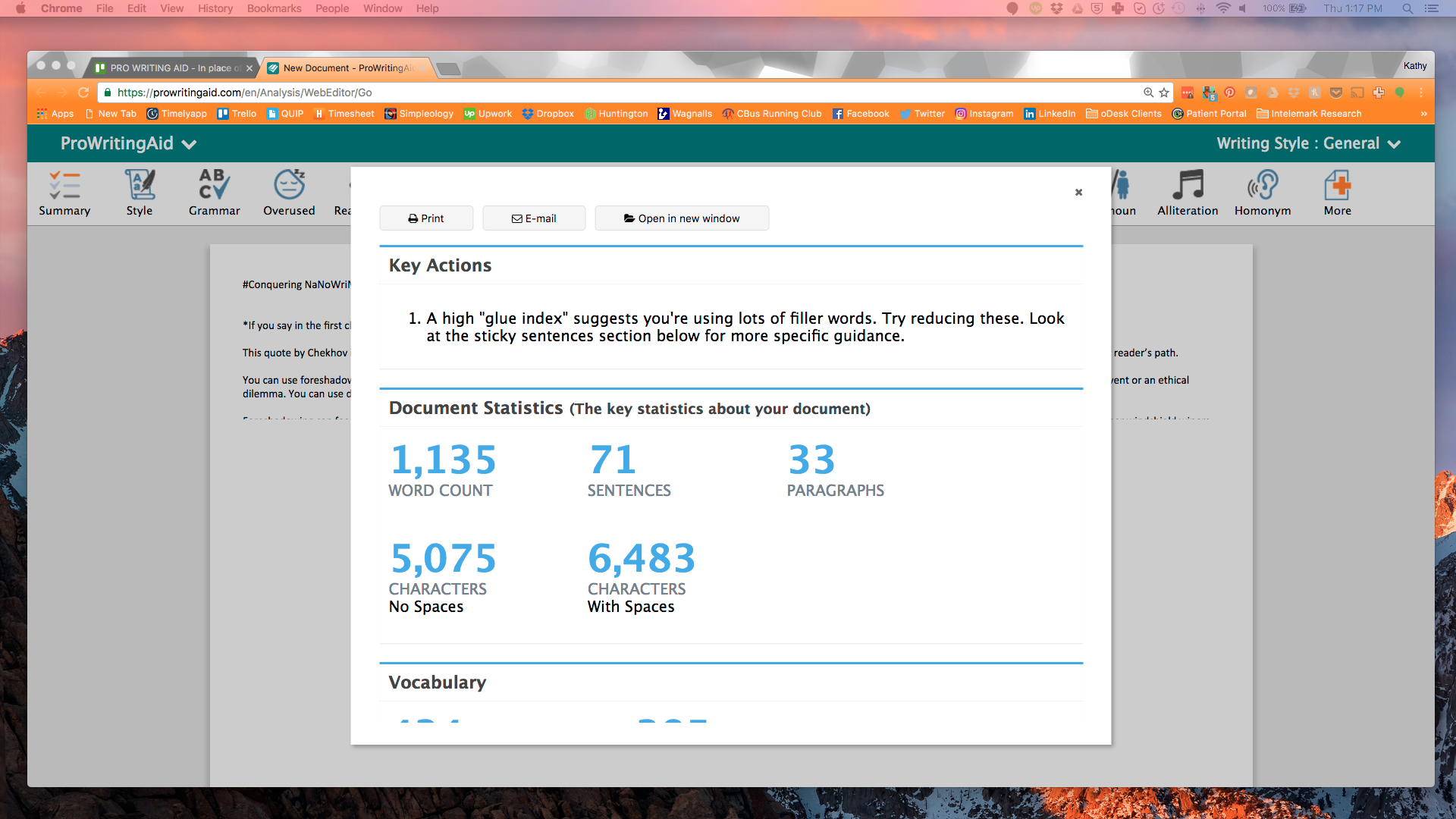
Notice I should work to decrease my high glue index. Too many filler words. Yikes!
But that’s not all. It gives you a summary of each report in PWA and its applicable stats. For example, the Summary Report analyzes your vocabulary and shows you how many unique words you’ve used and how many word families. It also identifies the most unusual words you’ve used, and how readable your writing is based on several online readability tests.
What’s included in the Summary Report?
The Summary Report looks at:
- Readability Scores
- Overused Words
- Sentence Structure
- Sentence Length
- Writing Style
- Grammar & Spelling
- (dreaded) Sticky Sentences
- Dialogue
- Pacing
- Transitions
- Repeated Phrases
- Clichés & Redundancies
- Consistency
- Diction
- Vague & Abstract Words
- Corporate Wording
Each report is set apart by a bold, colored line, and shows you the statistics you need to analyze to strengthen your writing. Here’s a screenshot of the Sentence Structure summary and the start of the Sentence Length summary.
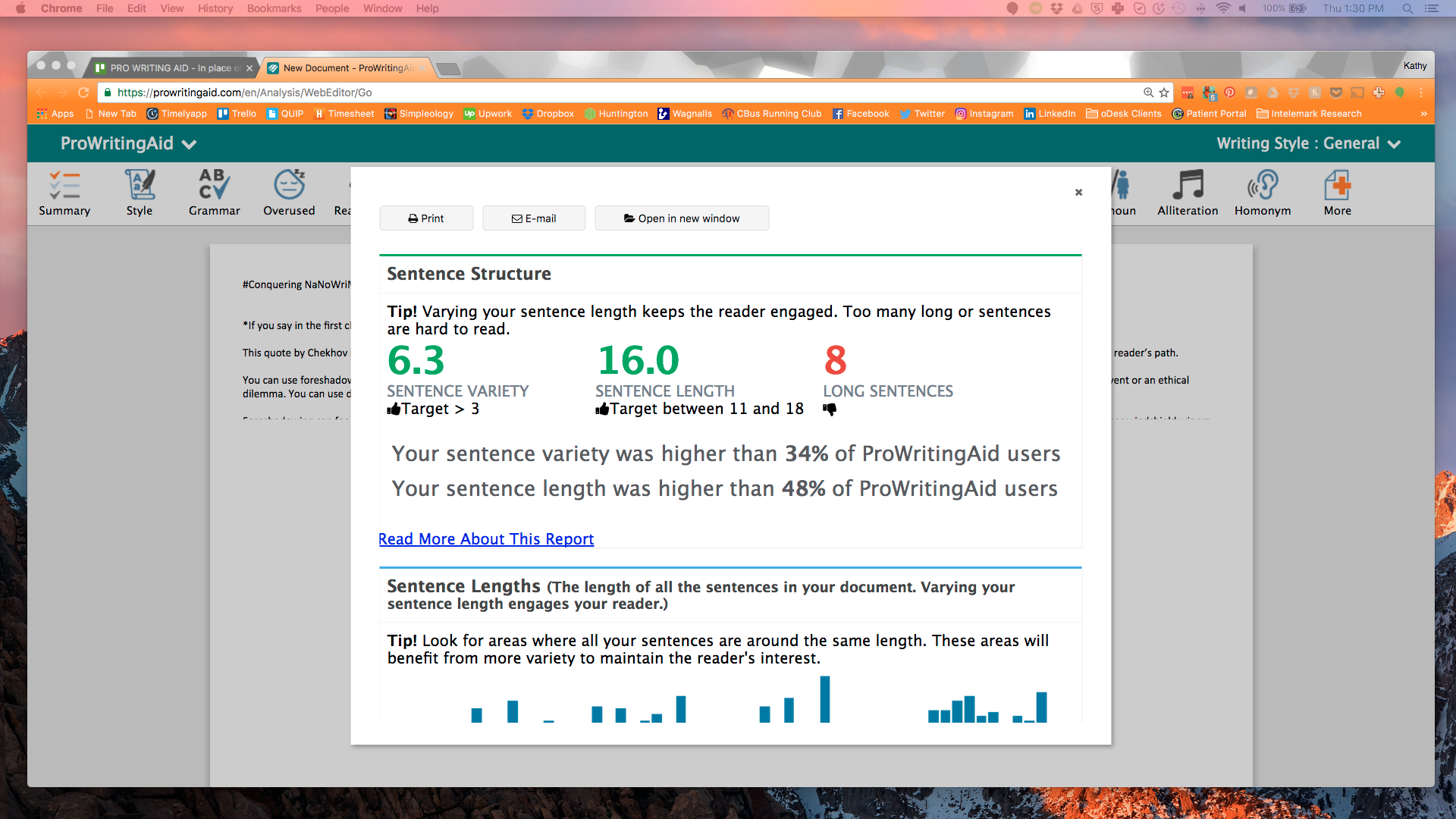
Notice in this screenshot that I received a thumbs-up in sentence variety and sentence length, but a thumbs-down in long sentences. Something else I need to work on.
Each summary section shows the statistics particular to that report, whether it’s a percentage that your work was below or above, or even a graph to show you the variety of your sentence lengths.
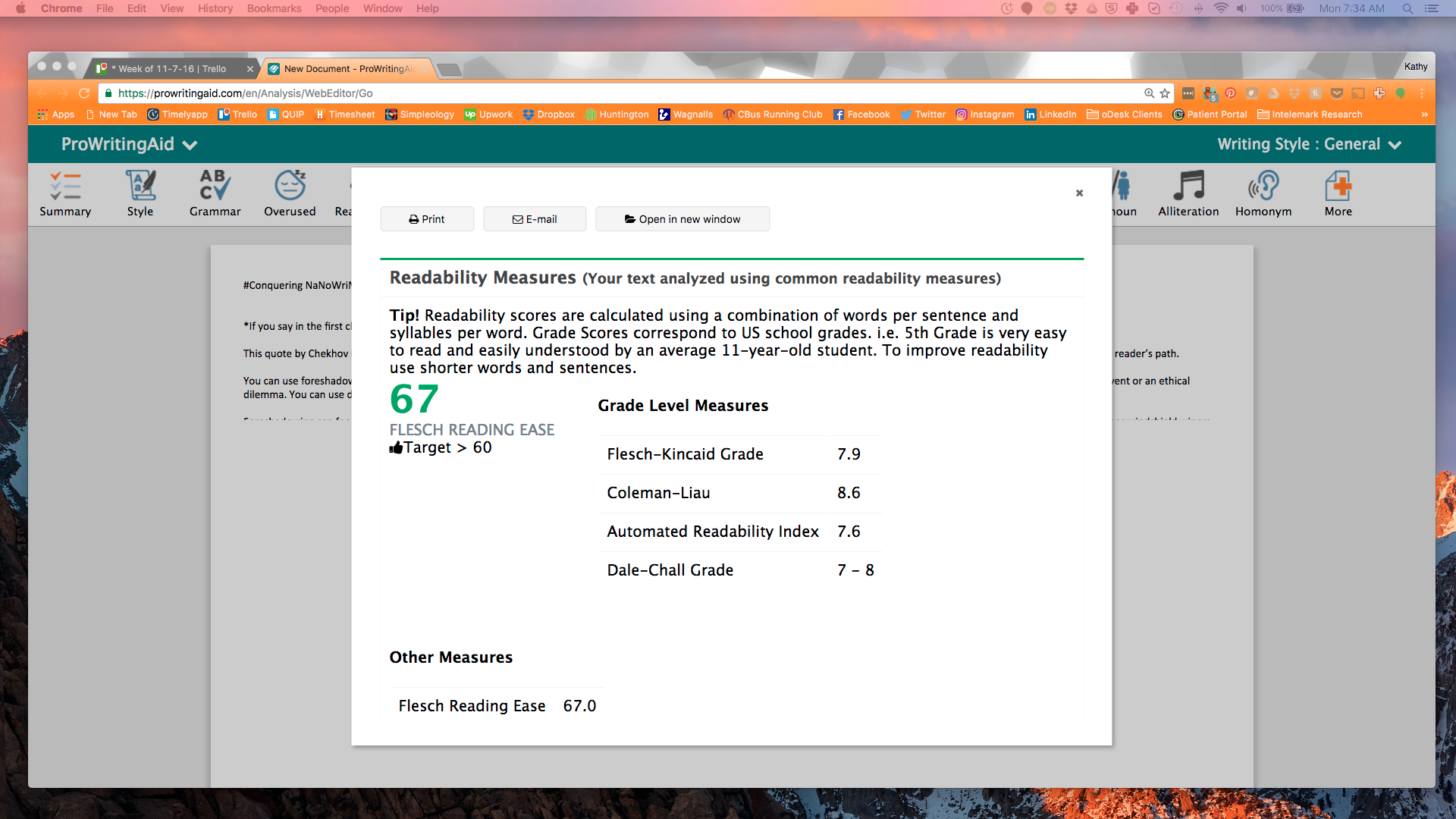
One of the most powerful sections in the Summary Report is the Readability Measures. You want your writing to be easy for readers to understand, and this report uses 4 distinct tools that measure the words per sentence and syllables per word to calculate your score. You can see from the screenshot below that I’m just above the target:
One very interesting feature shows you, for 6 different stats, how your writing in each category compares to others on ProWritingAid. Since sticky sentences are my obvious downfall, here’s a screenshot of how my work stacked up against other PWA users:
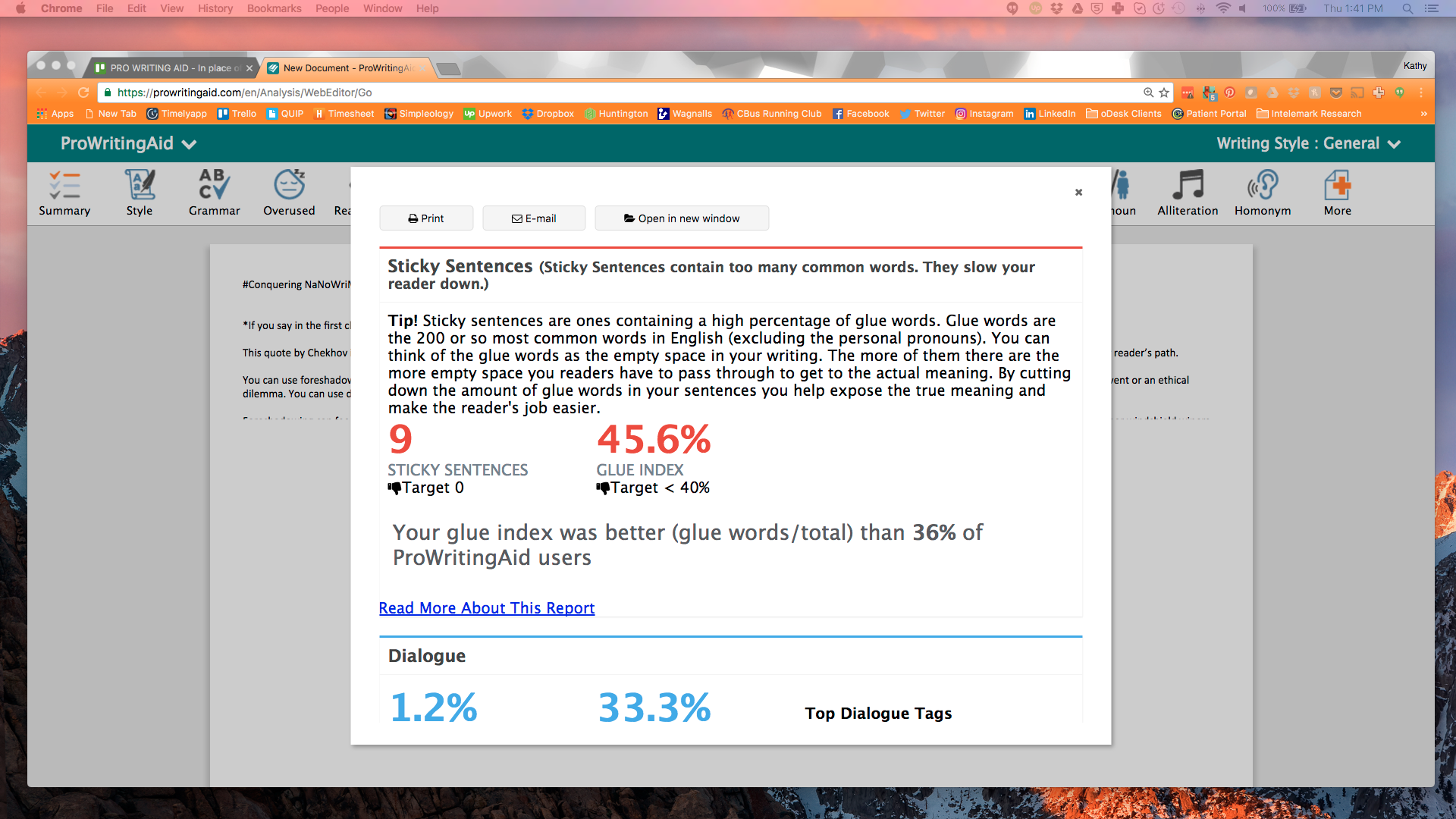
(Notice the thumbs-down on both stats!)
Summary Report: Take-aways
There are as many uses for ProWritingAid’s new Summary Report as there are ways to strengthen your writing.
Consider if you’re under a tight deadline and don’t have time to run through each report individually. You can run the Summary Report and check to see what needs shored up before sending your work off to an editor or a client.
And if you’re interested even a little bit in statistical analysis, you’ll love the Summary Report’s multitude of numbers, percentages, and graphs.
Finally, if you’re competitive (ahem, we writers aren’t competitive with each other, right?), you’ll love to see where you stand in relation to other writers on ProWritingAid.
Summary Reports: Better than sliced bread?
Run a Summary Report on your latest piece of writing, and let us know what you think in the comments below.
Want to learn more about How to Use ProWritingAid? Check out these great posts:
- Getting Started with ProWritingAid's MS Word Add-in
- What are the 25 ProWritingAid Report?
- How to use... The Sticky Sentence Reports


Be confident about grammar
Check every email, essay, or story for grammar mistakes. Fix them before you press send.
